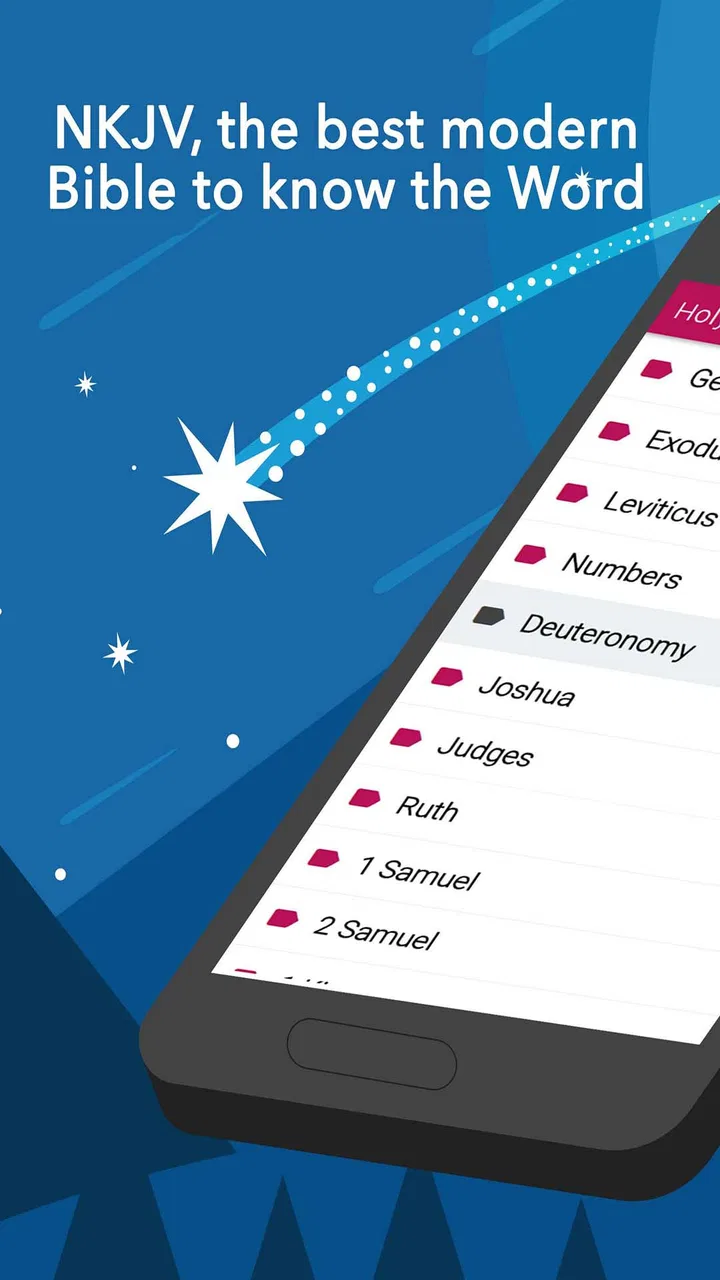
NewKing James Version Bible
- 4.8
- Rating
- 100.00K
- Installs
- Free
- Price

 Analysis by App-foxy
I found NewKing James Version Bible to be a straightforward reading app aimed at people who want the New King James Bible available on an Android phone without depending on a browser. It sits in the Libraries & Demo category, is free to install, and is suitable for Everyone. The developer is listed as KJV Bible offline, and the app has built a strong reception, with a 4.8 average from around 5,000 ratings and more than 100,000 installs.
What makes it appealing is its simple purpose. This is not trying to be a broad study platform, a social reading service, or a replacement for every printed Bible on your shelf. It focuses on giving you the New King James text in a compact mobile format, with comments included as part of the renovated presentation. For a first-time user, that narrow focus is helpful: you can open it, choose a passage, and begin reading without first learning a complicated system.
Getting from installation to a useful first reading
I’d use the first session to answer one practical question: does the reading flow feel comfortable on your phone? I’d open a familiar passage, read it before consulting the comments, then check whether the supporting notes add useful context. That simple trial makes it easier to judge the app on its everyday strengths before deciding how it fits into a longer routine.
You May Also Like

 Blood Strike: 2.5 Anniversary
Blood Strike’s Loadouts Turn Every Drop Into a Tactical Gamble
A close look at Blood Strike’s custom loadouts: how fast access to signature weapons reshapes its battle royale rhythm, rewards preparation, and narrows the gap between fights.

 Pandora - Music & Podcasts
Pandora’s Music Is Easy to Start, but Harder to Recover
Pandora’s strength is its low-effort path from a seed to a station. Its weak spot is how much confidence it asks you to place in connection, setup, and quiet recovery.

 8 Ball Pool
 Is Built on Rivalries, Rematches, and Routine
A close look at the rivalries, rematches, shared routines, and unanswered safety questions that turn a quick pool match into a persistent mobile community.

 Samsung Music
’s Quiet Strength Is Playing What You Already Own
Its reach comes less from spectacle than from dependable access to a personal library. That simplicity is both the app’s strongest retention engine and its ceiling.

 AccuWeather: Weather Radar
AccuWeather Review: A Quick, Clear Forecast for Everyday Decisions
For everyday plans, the best forecast is the one you can understand quickly. AccuWeather makes rain timing, radar, and local conditions easy to act on, with a few trade-offs.

 Hill Climb Racing
Why Hill Climb Racing Still Turns Crashes Into One More Run
A tiny car, a bumpy hill and one more upgrade: Hill Climb Racing keeps resurfacing because its simple chaos makes every near-miss feel personal.
More From Our News Desk



What to expect when you open it
The first thing I would tell a new user is to approach this as a dedicated Bible reader rather than a full research library. Its value is greatest when you already know why you are opening it: reading a chapter, checking a familiar verse, following a daily habit, or spending a few quiet minutes with a passage. The New King James wording gives the app a more traditional feel than many modern-language Bible readers, while the comments add another layer for readers who want some guidance alongside the text.
The current release is shown as Newking James Version BIBLE 16.0, and the app supports Android 7.0 and later. That makes it accessible on many older devices as well as newer phones. The age rating of Everyone also makes it a reasonable choice for a household device or for someone looking for a Bible reader without an age-restricted presentation.
Because the app is free, it is easy to try without making the decision feel permanent. There are in-app purchases listed at $0.99 per item, so I would still look carefully at any purchase prompt before confirming it. The important practical point is that you can begin with the free app and decide later whether any optional paid item is worthwhile for your own reading routine.
A calm first setup
After installation, I recommend resisting the temptation to explore every option immediately. Start by opening the Bible text and locating a book you already recognize. Familiarity gives you a quick way to judge the typography, navigation, and general reading comfort. If you begin with a passage you know well, you can concentrate on how the app works instead of wondering whether you have landed in the right place.
For a first session, choose a short chapter rather than planning an ambitious study. Read a few paragraphs, then look at the comments connected with that section. This creates a useful first impression of the app’s two parts: the biblical text itself and the explanatory material placed around it. I found that separating those purposes helps prevent a common mistake, which is treating a comment as though it were part of the scripture text.
It is also worth deciding what you want this app to replace. If you normally carry a printed Bible, the phone version is most useful for moments when the book is not with you. If you usually read through a browser, the dedicated app can make the habit feel more direct because the reading destination is already installed. If you use a feature-heavy Bible service, however, you may notice that this app feels intentionally more limited and focused.
Your first meaningful success
The quickest successful workflow is simple: open the app, find a familiar book, move to a chapter, read a short section, and then check its comments. That sequence gives you a practical result in a few minutes. You are not merely looking at menus; you are using the app for the reason it exists.
For everyday use, I would make the workflow even more concrete. Imagine that you have ten minutes before leaving home and want to read something without searching online. Open the reader, select the passage you have chosen, and read until you reach a natural stopping point. If a phrase raises a question, use the comments as a second step rather than interrupting the first reading. This keeps the session from becoming a hunt through settings and helps the app support reflection instead of distracting from it.
Another useful habit is to keep your first few sessions deliberately consistent. Read at roughly the same time, use similar-sized portions, and pay attention to whether the comments help your understanding or make the experience feel crowded. That personal test is more valuable than assuming every reader will react the same way. Some people want a clean text-only page; others appreciate having explanatory notes close at hand.
How the comments change the experience
The inclusion of comments is one of the app’s more important distinctions. A plain digital Bible can be excellent for uninterrupted reading, but it leaves interpretation and background entirely to the reader. Here, the comments offer a way to pause and consider a passage without immediately leaving the app for a separate search.
My advice is to read the passage first whenever possible. Comments can influence how you approach the words, and that may be useful during study, but it can also make the first reading less personal. A two-pass method works well: read for the overall meaning, then return to the comments for context or clarification. This is a small workflow change, but it makes the app feel more organized and prevents the supporting material from taking over.
There is also a trade-off. Comments are convenient when you want help immediately, but they are not the same thing as a complete academic study system. Someone comparing several translations, examining original-language terms, or consulting extensive cross-references will probably need a more specialized tool. I see this reader as a practical companion for ordinary reading and reflection, not as the only resource for advanced biblical research.
Navigation tips for a less frustrating start
New users often assume that every Bible app behaves like the last one they used. That can lead to unnecessary frustration. Instead of tapping around randomly, use a predictable order: choose the book, select the chapter, read the text, and then investigate the comments. If you are trying to reach a specific verse, slow down at the book and chapter stage rather than repeatedly scrolling through long pages.
When reading on a phone, small interface habits matter. Hold the device in the position that makes the text easiest to follow, and avoid judging the app during a rushed first glance. A Bible passage can look dense when you are searching for a verse, but become comfortable once you settle into continuous reading. I also suggest testing the app in the exact situation where you expect to use it, such as a quiet morning, a commute, or a short evening reading session.
The best first test is not how quickly you can open a chapter; it is whether you can stay with the passage without the app getting in your way. That distinction is especially important for a focused reader like this one. Its success depends less on a long feature list and more on whether the text remains easy for you to reach and read.
Common confusion about offline Bible use
The app’s name and positioning make it attractive to people seeking an offline Bible, but I would still treat offline reading as something to verify during your own setup rather than making assumptions about every part of the experience. Try opening the same passage after disconnecting from the internet. That simple check tells you whether the reading workflow fits the places where you plan to use it, such as travel, low-signal areas, or a device with limited connectivity.
This is a useful first-time test because many users install a Bible app for offline access but never confirm it before they need it. Do the check while you still have a connection and time to adjust your expectations. If the passage opens normally, you will know the app is ready for that use. If your experience differs, you can decide whether it is better suited to connected reading or whether another Bible application would serve that particular need more reliably.
Another point of confusion is the difference between the Bible version and the app’s comments. The New King James text is the central reading material, while the comments are supporting content. If you are comparing wording with another translation, keep those layers separate. That makes it easier to identify whether a difference comes from the translation itself or from an explanatory note.
Who will appreciate this reader most
I would recommend it to someone who wants the New King James Bible in a focused mobile format and does not want to build a complicated study setup. It is a good fit for readers who value traditional language, want comments nearby, and prefer opening one dedicated app instead of searching through a general web browser. Its free entry point also makes it easy for a curious reader to test the experience before committing to a larger digital library.
It can also work well for a person returning to regular Bible reading. The first step is not to create an elaborate plan. Choose a manageable passage, read it in the app, and use the comments only after you have formed your own first impression. That approach lowers the pressure and makes the phone a practical aid rather than another source of notifications and distractions.
Families may find the Everyone rating reassuring, particularly when the app is being considered for a shared Android device. Still, suitability depends on the reader’s expectations. A child who needs a highly visual, guided experience may prefer a Bible app designed specifically for younger users, while an adult who wants a quiet text reader may appreciate this more restrained approach.
Who should choose another option
I would look elsewhere if your main requirement is a large collection of translations, extensive audio material, community discussion, elaborate reading plans, or advanced scholarly tools. Those features can be valuable, but they also change the character of an app. This reader’s strength is its directness, so a person wanting an all-in-one Bible platform may find it too narrow.
I would also be cautious if you dislike comments appearing near your reading material. Some readers want scripture and nothing else on the page. For them, a minimalist text-only app or an e-reader edition may feel cleaner. On the other hand, if you regularly stop to ask what a passage means or want a prompt for further reflection, the comments are a genuine reason to stay with this app.
People who move between Android and iOS should also think about continuity before making this their only reading tool. The listed minimum operating system is Android 7.0, so the Android installation is suitable for devices meeting that requirement. If your reading life depends on keeping the same experience across several platforms, compare the available options on each device before settling into a long-term routine.
How it compares with printed Bibles and browser reading
A printed Bible still has advantages this app cannot reproduce: a larger page, a physical sense of place, and freedom from the interruptions of a phone. I would choose print for extended study when I want to mark a page, spread out references, or keep the device out of reach. The app wins when portability matters, especially when carrying a book is inconvenient.
Compared with browser reading, the dedicated app feels more purposeful. A browser can provide access to many resources, but it also makes it easy to drift into unrelated tabs and searches. This reader encourages a narrower session: open the Bible, find the passage, and read. That simplicity is valuable for someone who wants a small daily habit rather than a research session every time.
Compared with a feature-rich Bible platform, the trade-off is clearer. Those larger services may offer more tools and broader customization, while this app gives the New King James text and comments a more central role. I would not call one approach universally better. I would choose this one when I want a focused reading companion, and a larger platform when I need comparison, study organization, or a wider set of resources.
Small habits that make the app more useful
One practical tip is to prepare the next passage before you are in a hurry. If you know you want to read during a break, open the app while you have time and locate the section first. That removes the least meaningful part of the session—searching—and leaves more time for reading. It is a modest change, but it helps a phone-based habit feel intentional.
A second tip is to use comments selectively. Do not feel obliged to read every note immediately. Read the main passage, identify the part that deserves attention, and then consult the relevant explanation. This keeps the app from turning a short reading into a long chain of interruptions. It also gives you a clearer sense of which comments are genuinely helping your understanding.
A third tip is to compare your experience across different reading lengths. A few verses may feel comfortable during a busy day, while a longer chapter may reveal whether the text layout remains easy to follow. Testing both situations helps you decide whether the app is best for quick reference, regular devotional reading, or longer sessions. The answer may be different for each person, and it is worth discovering through actual use.
What to know about the current release
The app is listed as released on March 13, 2018, and its current version is Newking James Version BIBLE 16.0. That history suggests an established product rather than a brand-new experiment, while the current version indicates that the app has continued to be presented in an updated form. I would still judge it by the reading experience on your particular phone, because comfort, screen size, and Android version can affect how any text-heavy app feels.
The reception is encouraging: the app carries a 4.8 average and has 556 written reviews, alongside its broader rating activity. I treat that as a useful sign that many readers find it worthwhile, but not as a substitute for checking whether its focused design matches your needs. A highly rated Bible reader can still be the wrong choice for someone who needs audio, multiple translations, or deep study tools.
My recommendation after using it
NewKing James Version Bible is easiest to recommend when the request is specific: “I want the New King James Bible on my phone, with comments available when I need them.” It delivers a focused reading experience, has a free starting point, and is approachable enough for a first session without a long learning curve. The app’s strongest quality is that it keeps the central activity—opening and reading the Bible—close at hand.
I would begin by reading one familiar chapter, checking the comments afterward, and testing the reading workflow in the offline situation you care about. That small routine answers the most important practical questions quickly: whether the navigation feels natural, whether the supporting notes suit you, and whether the app is reliable for your intended setting.
My final view is positive, with a clear boundary. This is a sensible companion for New King James reading, personal reflection, and quick access when a printed Bible is not convenient. It is not the strongest choice for readers seeking a complete digital study suite. If you understand that distinction, the app’s simplicity becomes an advantage rather than a limitation, and its focused design can make regular reading easier to begin and easier to maintain.
FAQs for NewKing James Version Bible
01What is the New King James Version Bible app?
The New King James Version Bible app provides access to the complete NKJV translation of the Bible in a mobile-friendly format. It is designed for reading, searching, bookmarking, and studying Scripture on Android or iOS devices. Depending on the edition and developer, it may also include daily verses, reading plans, notes, audio playback, highlighting, and sharing tools.
02Is the New King James Version Bible app free to download and use?
Many NKJV Bible apps are free to download and offer basic access to the biblical text without payment. However, some features may require in-app purchases or a subscription, including audio Bibles, advanced study materials, offline downloads, removal of advertising, or additional translations. Before installing, users should review the store listing and subscription terms because available features can vary between applications.
03Can I read the NKJV Bible offline?
Offline reading depends on the specific app and whether it allows the Bible text to be downloaded to your device. In the version reviewed, users should look for an offline download option in the settings or translation menu before traveling or reading without an internet connection. Some supplementary features, such as synchronization, audio streaming, or advertisements, may still require an active connection.
04What features are useful for studying the New King James Version?
The most useful study features typically include keyword and verse search, bookmarks, highlights, personal notes, reading history, adjustable font sizes, night mode, and customizable display settings. Some apps also provide cross-references, devotionals, reading plans, verse-of-the-day notifications, and audio narration. Feature availability differs by developer, so users should check whether advanced tools are included for free or placed behind a subscription.
05Is the New King James Version Bible suitable for beginners and regular Bible study?
Yes. The NKJV preserves the traditional style of the King James Version while using more contemporary wording, making it approachable for readers who want a classic tone with improved readability. Beginners can use search tools, reading plans, and bookmarks to build a routine, while experienced readers may appreciate notes and cross-references. Users seeking extensive scholarly commentary should confirm whether the app includes study resources beyond the Bible text.
Pros
- Clear
- modern wording while preserving traditional biblical style.
- Includes helpful reading tools such as bookmarks
- notes
- and highlights.
- Audio Bible features make listening convenient during commutes or study.
- Search function quickly locates verses
- passages
- and keywords.
- Offline access allows reading without a continuous internet connection.
Cons
- Some features or translations may require in-app purchases.
- Advertising can interrupt the experience for users on the free version.
- Audio downloads may consume considerable storage space on your device.
- The interface may feel dated compared with newer Bible applications.
- Interpretive notes and study resources are limited in some sections.

NewKing James Version Bible
Gallery